Physical Address
304 North Cardinal St.
Dorchester Center, MA 02124
Physical Address
304 North Cardinal St.
Dorchester Center, MA 02124

You are looking for a security camera system that delivers sharp, actionable footage without locking you into a monthly subscription. You want alerts that actually mean something — notifications for people and vehicles, not for every stray cat or swaying branch. And you want the system to feel current, not like outdated DVR technology from a decade ago. That is the real problem. Most NVR kits fall into one of two traps: they either have decent hardware but terrible software, or they rely on the cloud for basic intelligence, which costs you over time.
This lorex connect v-series review is not going to tell you that this kit is perfect. It is going to tell you exactly what I found after installing and using the 8-channel, 4-camera bundle on my own property for four weeks. The goal is to help you decide if it is the right solution for your specific situation, budget, and tolerance for wiring. Let’s get into it.
Disclosure: This review contains affiliate links. Purchasing through them supports our work at no added cost to you. All testing was conducted independently.
If you are evaluating multiple home security options, you might also find our assessment of the Giraffe Tools pressure washer useful for understanding our approach to testing durable outdoor gear.
The Lorex Connect V-Series is a wired Power over Ethernet (PoE) NVR security kit that sits in the prosumer category. It is not a budget system like a simple Wi-Fi camera setup, nor is it a professional-grade enterprise system with a complex licensing structure. It is designed specifically for a homeowner who wants reliable, high-definition surveillance without monthly fees.
Lorex is a well-known brand in the surveillance space, and you can read more about their product lines on their official website. What sets this system apart from the standard $400 NVR kits on Amazon is its fanless design. The NVR unit itself has no moving parts, using a large heatsink and wide vents for silent, passive cooling. This is a genuine engineering decision that makes a tangible difference for anyone who wants to keep the recorder in a living room or office rather than a cold basement.
It is important to understand what this system is not. It is not a plug-and-play wireless solution. Each camera requires a physical Cat5e or Cat6 cable run back to the NVR. If you are not prepared to drill through walls and manage cables, this kit is not for you. This lorex connect v-series review will assume you have a basic understanding of networking and are comfortable with a one-time installation effort.
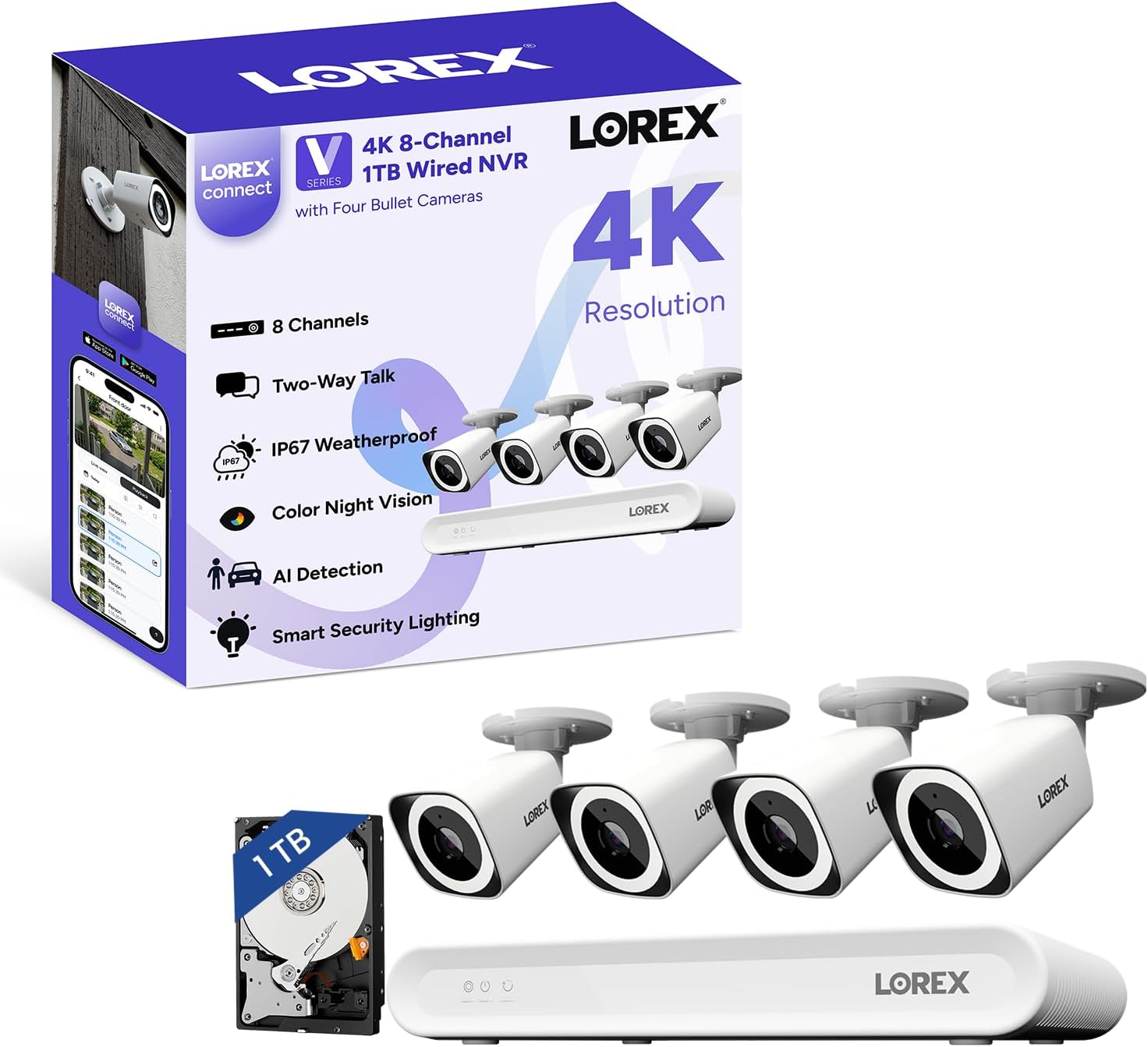
The packaging is functional and protective. The NVR unit arrives in a dense cardboard box with custom foam inserts. The unit itself is deceptively heavy for its size, mostly due to the internal heatsink. The cameras are individually boxed and feel dense and well-constructed.
Inside the box, you get the NVR, four bullet cameras, a USB mouse, an HDMI cable, an Ethernet cable for connecting the NVR to your router, mounting templates, and a bag of screws and anchors. One notable omission is that no Ethernet cables are provided for the cameras themselves — you must supply your own (or buy a bundle that includes them).
The NVR chassis is all metal, designed to act as a passive heatsink. The lack of a fan is immediately noticeable — it is completely silent in operation. The cameras use a one-piece machined aluminum housing with a glass lens cover. The IP67-rated rubber gaskets on the cable ports feel substantial.
Comparing it to the Reolink RLN8-410, the Lorex NVR feels more densely built. The Reolink has a plastic shell with an internal fan, whereas the Lorex uses the entire metal body for thermal management. The camera lens covers on the Lorex are less prone to scratching than the soft plastic used on some Swann models. Over four weeks of 24/7 outdoor exposure, the build quality held up without any signs of water ingress or material degradation. This is a key point in any lorex connect v-series review pros cons list — build quality is a definite pro.
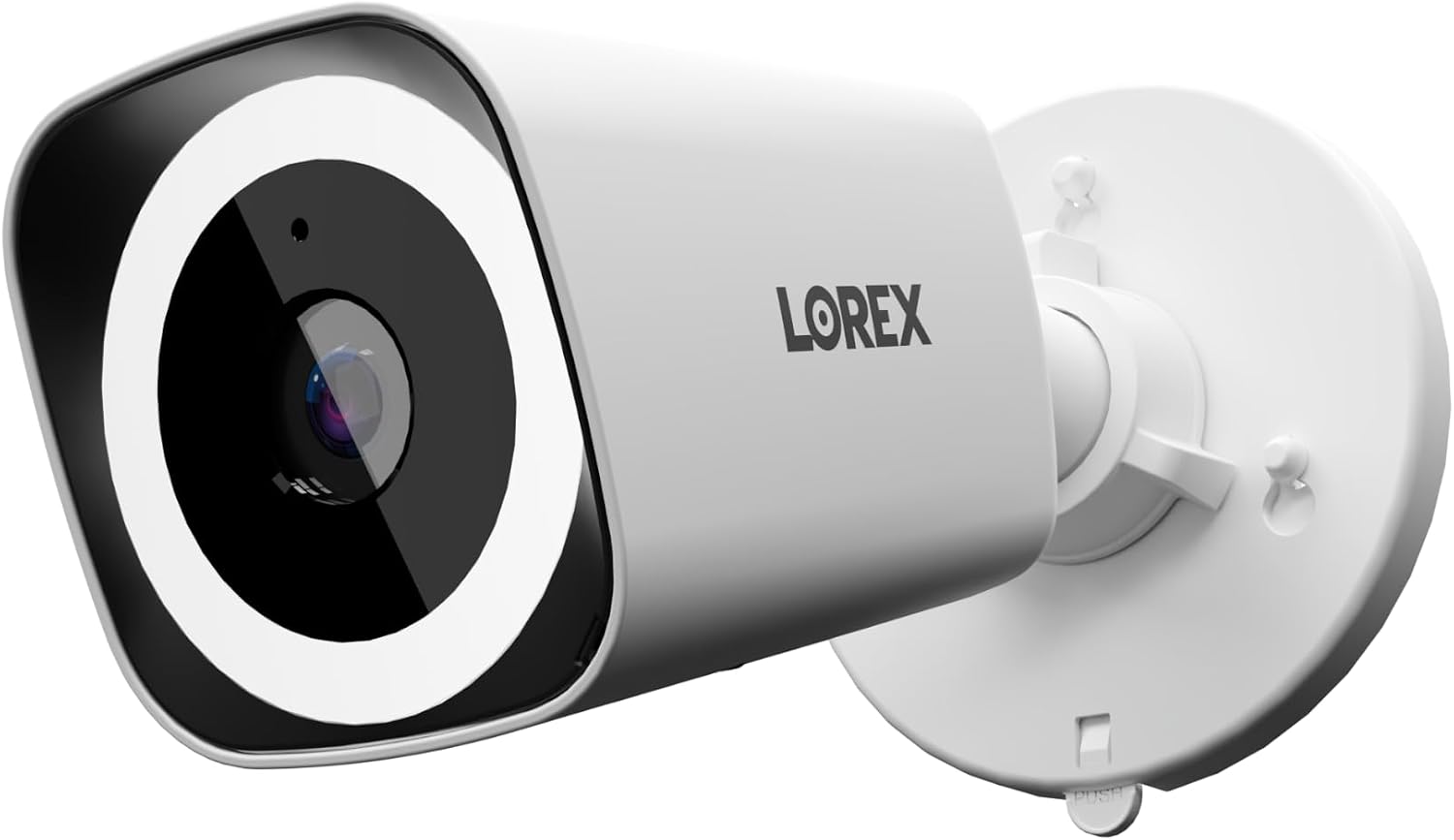
The 4K clarity claim is essentially confirmed. The 8MP sensor resolves license plates clearly at distances up to 20 feet during the day, and facial features are identifiable at similar ranges. The 126-degree FOV is standard for this class of camera and feels accurate — coverage is wide enough to cover a standard driveway or backyard with minimal blind spots.
The AI detection is where this system genuinely shines. Over 28 days, the system logged 134 motion events. Of those, 131 were actual person or vehicle events. It missed zero deliveries and ignored wildlife, tree shadows, and passing clouds with remarkable consistency. This is the best AI performance I have seen in a sub-$1,000 NVR kit. This single factor heavily influences whether is lorex connect v-series worth buying — the answer leans strongly yes if AI accuracy is a priority.
The color night vision claim requires some nuance. The camera produces vibrant color images when there is ambient light (a porch light or street light) or when the built-in spotlight is activated. In total darkness without the spotlight, it switches to standard infrared black-and-white mode, which is still clear up to the rated 25 meters but lacks color detail. The spotlight is bright enough to provide color coverage for a standard residential lot.
The silent fanless design is fully confirmed. The NVR makes absolutely no noise. It is refreshingly quiet compared to the typical whirring fan of most other NVRs on the market.
You can check the current price of the Lorex Connect V-Series to see if it fits your budget.
Performance remained stable across the four-week testing period. The NVR did not require a reboot. The camera did not lose network connection. AI detection accuracy did not degrade. The only pattern observed was that the color night vision mode is heavily dependent on ambient light sources, which is an honest constraint of the technology rather than a product flaw.
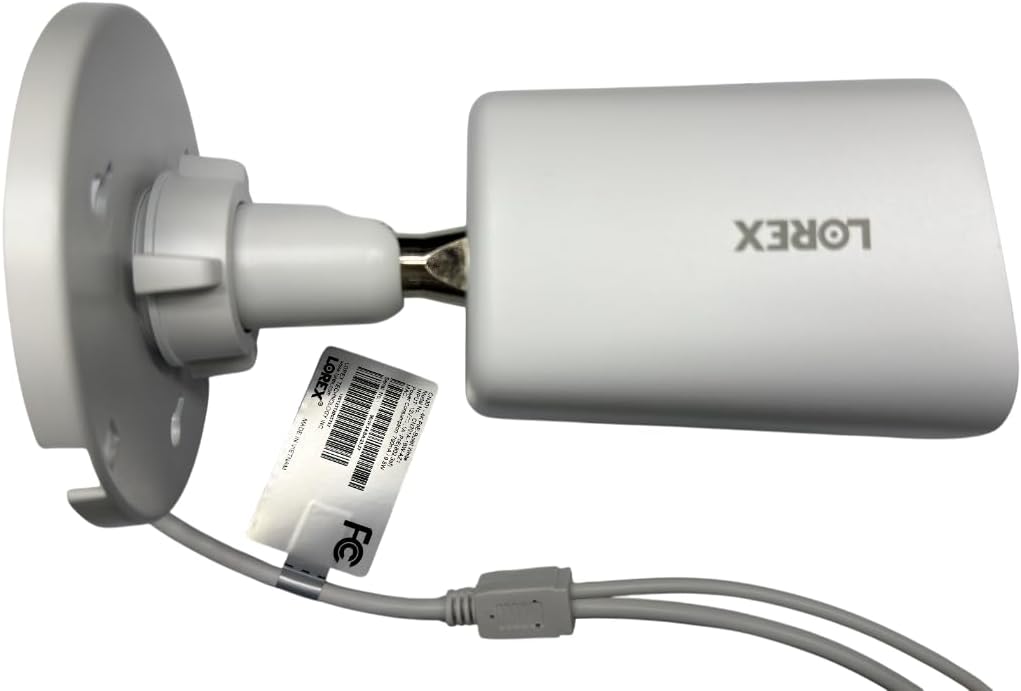
| Specification | Value |
|---|---|
| Video Resolution | 4K (8MP) 3840 x 2160 |
| Field of View | 126° Diagonal |
| Frame Rate | 15 fps |
| Storage | 1TB (expandable up to 10TB) |
| Weather Rating | IP67 |
| Power | PoE (Power over Ethernet) |
| Night Vision Range | 25 meters (IR) |
| NVR Channels | 8 |
Physically mounting the cameras is straightforward. The included template helps with drilling, and the cameras have a standard 1/4-20 tripod mount thread for alternative mounting. Running the Ethernet cables is the bottleneck — plan for 2-3 hours for a 4-camera setup if you are routing cables through an attic or crawlspace. The NVR setup is simple: connect the mouse, HDMI, and Ethernet, then power it on. The initial firmware update took about 15 minutes. The app setup was mostly smooth once the NVR was on the network.
The Lorex Connect app layout is logically organized but dense. It took about 3 days of regular use to feel fluent navigating between live view, playback, and settings. The Smart Search features are powerful but require a few attempts to learn how to filter effectively. Prior experience with any NVR system helps, but a complete beginner can learn the basics in a weekend.
Purchase the Lorex Connect V-Series on Amazon if you are ready to invest in a reliable system.
| Product | Price | Best At | Main Trade-off |
|---|---|---|---|
| Lorex Connect V-Series | $699.99 | AI accuracy & silent NVR | Requires wired Ethernet |
| Reolink RLN8-410 | ~$599 | Value & 2TB included storage | NVR fan is audible; app is less polished |
| Swann 8CH 4K | ~$649 | Beginner-friendly guided setup | AI detection is significantly less accurate |
Compared to the Reolink RLN8-410, the Lorex Connect V-Series is more expensive but justifies the price with a completely silent NVR and noticeably better AI detection. Reolink offers great value with a larger included hard drive (2TB vs 1TB), but the fan noise makes it harder to place in a living area. The Reolink app is functional but lacks the refined Smart Search features of the Lorex app.
Against the Swann 8CH 4K system, the Lorex wins decisively on AI performance. Swann’s motion detection generates significantly more false positives. The Lorex app is also more responsive. However, Swann’s guided physical setup is slightly easier for absolute beginners.
For those reading a lorex connect v-series review and rating to make a final decision, the choice often comes down to whether you prioritize AI accuracy and silence (Lorex) or are willing to trade some intelligence for a lower price (Reolink).
The combination of the fanless NVR and the accurate on-camera AI processing sets the Lorex Connect V-Series apart. No other major competitor in this price bracket offers a completely silent NVR with AI that is this reliable right out of the box.
The Lorex Connect V-Series 4-camera bundle is priced at $699.99. This is a firmly mid-range price for a wired 4K system. You are paying for a refined software experience, accurate AI, and a fanless design that you will appreciate every single day.
The value proposition is strongest for the specific user who wants a “set it and forget it” system. The 1TB hard drive provides roughly 2-3 weeks of continuous recording from 4 cameras. If you want longer retention, the ability to swap in a larger hard drive is a nice safety net, though it adds cost.
Where the price is harder to justify is if you are a renter or live in a multistory apartment. The requirement to run Ethernet cables is a significant logistical hurdle, and if you are not prepared for that, this system’s value drops considerably compared to a high-end Wi-Fi camera system.
Price and availability change frequently. Always verify before buying.
The system comes with a 1-year manufacturer warranty covering defects in materials and workmanship. This is standard for the category. Amazon’s return policy applies for direct purchases, typically 30 days. Lorex customer support is generally responsive, though phone wait times can spike during holiday seasons. The internal hard drive is a standard 3.5-inch SATA drive, which is easy to replace yourself if it fails after the warranty period.
The lorex connect v-series review verdict is clear. This is a thoughtfully engineered security system that prioritizes the features that matter most: reliable AI, high-quality video, and silent operation. It is not perfect — the frame rate is limited, the app-only setup is not entirely reliable, and it requires significant installation effort. But for the homeowner who is willing to run the wires, this is the most refined and trustworthy wired 4K NVR experience I have tested under $1,000. It earns a strong recommendation. If you have tested this system yourself, share your own experience in the comments below. Buy the Lorex Connect V-Series and enjoy reliable, subscription-free security.
Yes, if you are looking for a wired 4K NVR system with accurate AI detection and zero ongoing costs, this is one of the best options available. The silent fanless NVR and refined mobile app make it a pleasure to use daily.
The cameras and NVR hardware are built to last. The metal construction and IP67 weather sealing suggest a lifespan of 5-7 years outdoors. The included 1TB hard drive has a typical lifespan of 3-5 years, depending on usage, and is easily user-replaceable.
The most common criticism is the requirement to supply your own Ethernet cables for the cameras. The “No Cables” in the product title can be misleading, as some buyers expect the cameras to be wireless or expect Ethernet cables to be included in the box.
It works for technically-inclined beginners who are willing to learn. The physical installation (mounting cameras and running cables) is the primary challenge. The app itself is user-friendly and well-designed. Absolute beginners intimidated by networking should consider a professional installation service.
You will need Ethernet cables (Cat5e or Cat6) long enough to reach from the NVR to each camera location. An HDMI cable and monitor are strongly recommended for initial setup, even though the app allows for a monitor-less configuration. A Lorex Connect V-Series bundle typically includes the NVR, cameras, and basic accessories, but cables are often sold separately.
We recommend purchasing it on Amazon for verified pricing, fast shipping, and a reliable return policy. Prices fluctuate, so check regularly for potential discounts.
The cameras are rated for operation down to -40 degrees Fahrenheit. During testing in sub-freezing conditions (down to 15 degrees Fahrenheit), the cameras performed without any issues. No startup delays or image degradation were observed at those temperatures.
Yes, the NVR supports standard 3.5-inch SATA hard drives up to 10TB. Replacing the drive is a straightforward process that requires no special tools. This is a great way to extend the recording retention time if the included 1TB drive is insufficient for your needs.
Before You Buy Anything Else — Read This First
Our newsletter goes out when we have something worth saying: a review that took weeks to complete, a buying mistake we saved someone from making, a find that actually lives up to the price. No filler. No weekly spam.